

Budgets
Budgets help you set spending limits for different categories and track how well you’re sticking to them throughout the month.How Budgets Work
When you create a budget, you assign a spending limit to a category. As you spend money in that category, Sure tracks your progress and shows you:- Amount spent so far this month
- Amount remaining in your budget
- Status indicators showing if you’re on track, near your limit, or over budget
Planning ahead
You can create budgets for future months, up to 2 years in advance. This lets you plan your spending ahead of time and set category limits before the month begins. Navigate forward using the month selector to set up upcoming budgets.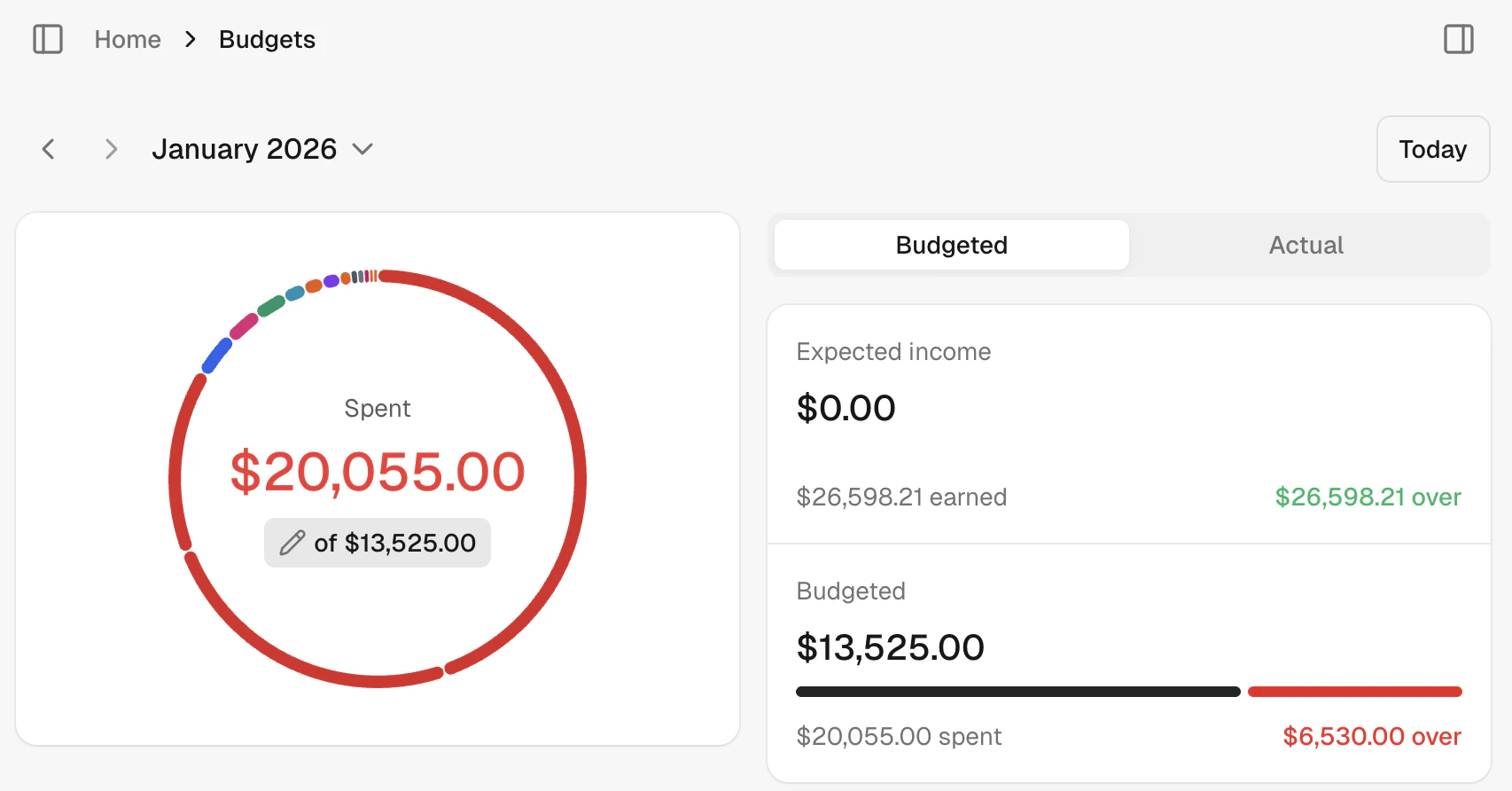
Setting Up Category Budgets
Each category can have its own budget. For example, you might set:- Food & Dining: $500/month
- Entertainment: $200/month
- Transportation: $300/month
Subcategories and Shared Budgets
You can organize your spending further with subcategories. For example, “Food & Dining” might include:- Coffee & Takeout
- Groceries
- Restaurants
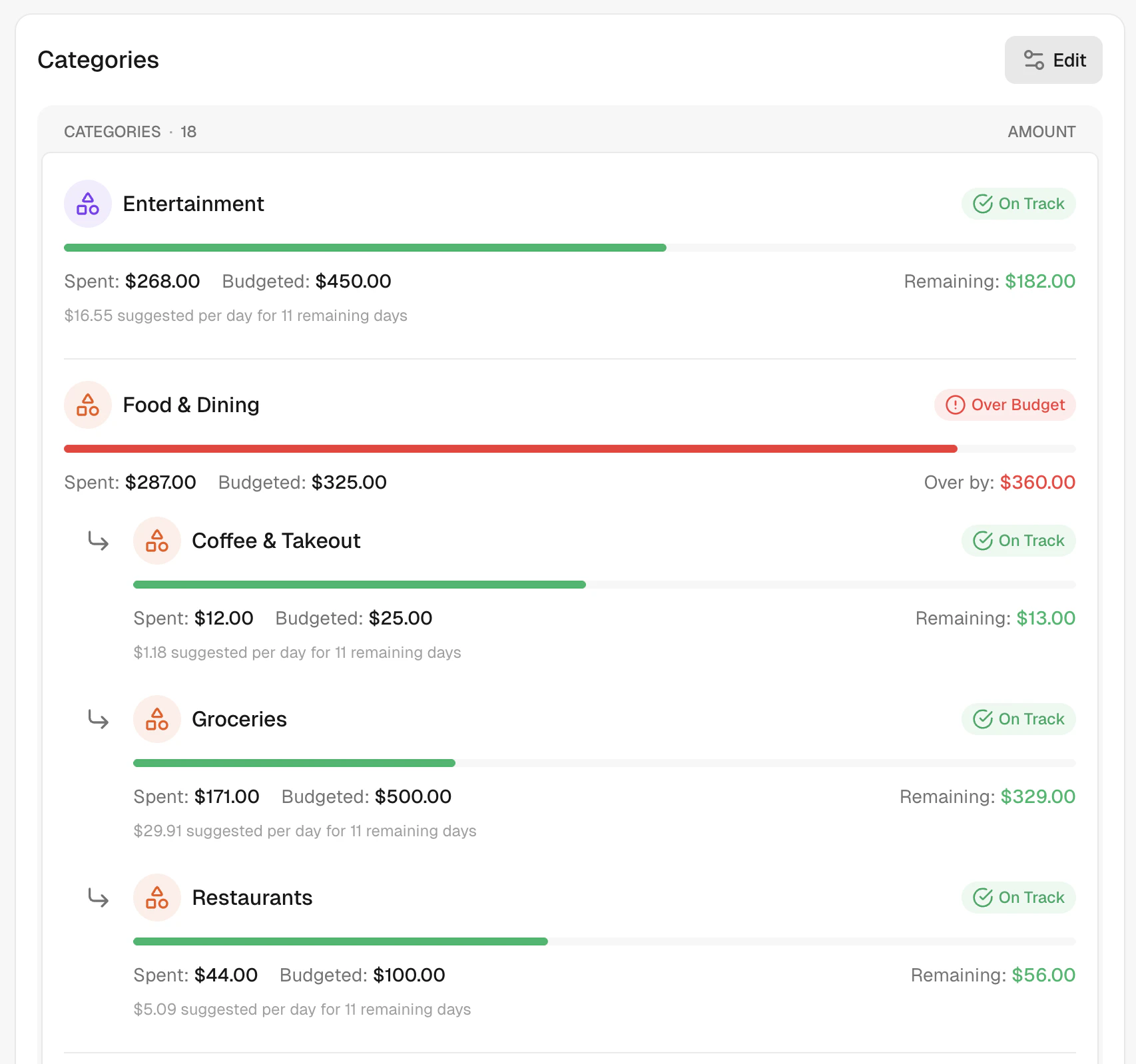
Individual budgets
Give each subcategory its own limit. This works well when you want strict control over specific types of spending.Shared budgets
Leave a subcategory’s budget empty to share the parent category’s budget. This is great when you want flexibility across related expenses. Example: Set “Food & Dining” to $500, but leave the subcategories without individual limits. Now all your food spending draws from the same $500 pool, whether you’re buying groceries or eating out. When a subcategory shares its parent’s budget, you’ll see a “(shared)” label next to the budget amount, making it clear which subcategories are drawing from the shared pool.Mixed approach
Combine both methods. Set a fixed budget for some subcategories while others share the remaining amount. Example:- Food & Dining: $500 total
- Restaurants: $100 (fixed limit)
- Groceries and Coffee share the remaining $400
- Restaurants has $100 remaining ($100 budget - $0 spent)
- Groceries and Coffee share $350 remaining ($400 shared pool - $50 spent between them)
- The parent Food & Dining shows the total remaining across all subcategories
Parent auto-aggregation
When you edit a subcategory’s budget, the parent category’s budget automatically updates to reflect the change. You don’t need to manually adjust the parent — Sure keeps it in sync for you. How it works:- When you increase a subcategory’s budget, the parent’s budget increases by the same amount.
- When you decrease a subcategory’s budget, the parent’s budget decreases accordingly.
- If the parent had extra budget beyond the sum of its subcategories (a “reserve”), that reserve is preserved during the update.
- The parent’s budget never drops below the combined total of its subcategories.
- Food & Dining starts at $500 with Restaurants at $100 and Groceries at $150 ($250 reserve in the shared pool)
- You increase Groceries from $150 to $200
- Food & Dining automatically updates to $550, preserving the $250 reserve
Status Indicators
Sure uses color-coded badges to show your budget status at a glance:- On Track (green) - You’re within budget and pacing well
- Near Limit (yellow) - Getting close to your limit
- Over Budget (red) - You’ve exceeded your budget
Tax-advantaged accounts and budgets
Sure automatically excludes activity from tax-advantaged investment accounts when calculating budget spending. This ensures your budgets accurately reflect your day-to-day spending without being skewed by investment contributions or withdrawals. Excluded account types:- 401(k) accounts
- IRA accounts (Traditional and Roth)
- 403(b) accounts
- Other tax-advantaged retirement accounts
Tips for Effective Budgeting
- Start simple - Begin with just a few major categories before adding detail
- Review monthly - Check your budgets at the end of each month and adjust as needed
- Use shared budgets for categories where you want flexibility between subcategories
- Use individual limits when you need strict control over specific spending